Mobile mechanic van designs. Bring your expertise into view.
Give your mobile workshop an identity that explains the work you do. Try technical engine linework, a clean servicing layout or a practical fleet-maintenance design using your actual van photo.
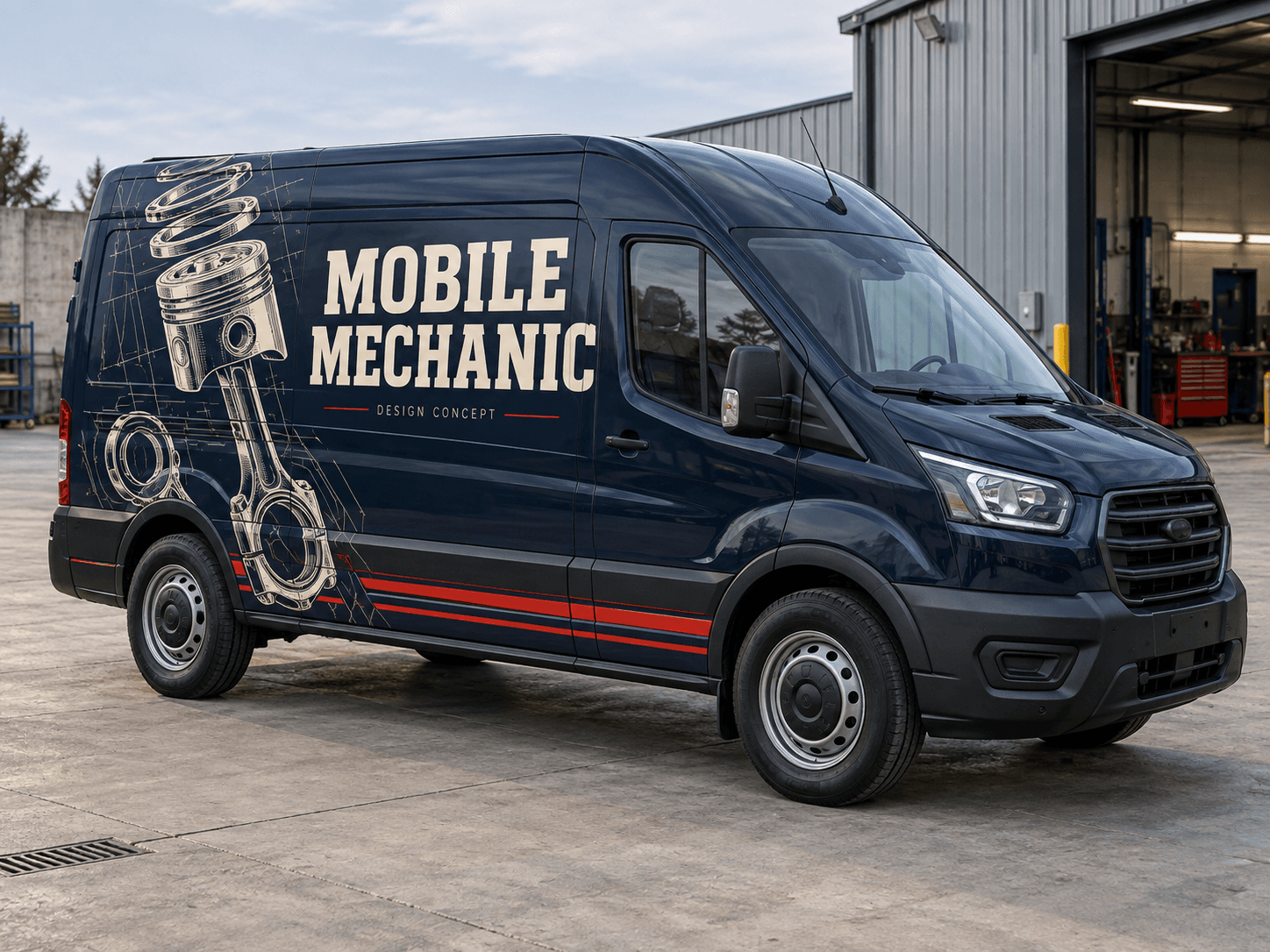
An oversized piston drawing and fine red lines give midnight-blue panels a technical character, with bold cream service lettering.Original AI concept · No customer branding
Workshop blueprint
Use your own vehicle photo
Add your business logo
Save a concept for your signwriter
Choose a direction
Mobile Mechanic van design ideas
Choose whether the van should emphasise routine servicing, diagnostics or commercial maintenance. A technical illustration can add character while the wording carries the service.
01
Exploded engine linework
A large mechanical drawing can look distinctive without using vehicle-manufacturer logos. Put the detailed parts at the rear and keep the name on a solid panel. The drawing should be decorative rather than an attempt to describe your full equipment list.
Try this with your van
Design a mobile mechanic van for [business name] in midnight blue, cream and red. Place an oversized technical piston drawing on the rear quarter and fine red lower stripes. Clearly show [mechanical services] and [contact details]. No manufacturer logos.
Lead with a concise description of the work customers can book. Use a small diagnostic-line motif if you want a technical accent. Keep the contact details large enough to remain readable without needing a close-up of the vehicle.
Try this with your van
Create mobile servicing and diagnostics van lettering for [business name]. Use [brand colours], a clean technical-line accent, [actual servicing or diagnostic services] and [phone or website]. Avoid a long list of car makes.
A strong two-colour layout can suit work at depots and commercial sites. Mention the types of maintenance or vehicles you actually support. Keep breakdown or roadside-response wording separate unless it is genuinely part of your offer.
Try this with your van
Design a fleet-maintenance service van for [business name]. Use charcoal, white and [accent colour], confident panel graphics, [commercial maintenance services] and [contact details]. Do not add roadside-response claims unless supplied.
Your chosen prompt opens in the studio, ready for your photo and business details.
Upload your photo and logo.Vehicle first, optional logo second.
Make the prompt yours.Replace the square brackets with your business details.
Generate and save a favourite.Open the image in Your concepts to compare and download.
Before you generate
Make the mobile service easy to understand
Name the work customers can book
Servicing, diagnostics and repair are clearer than a vague performance slogan. Pick the jobs you want to promote and give them a short service line. The website can carry the detailed vehicle and service list.
Keep your van’s useful features visible
Include racks, vents and visible workshop fittings in your photo. Ask for the graphic to follow the painted panels, and have your signwriter check where doors, handles and equipment access interrupt the layout.
Designed around your work
Explore related industry designs.
Specific layouts, colours and starter prompts for different kinds of work.
Can I create a mobile mechanic van without car-brand logos?
Yes. The example uses original mechanical linework and a generic service label. Add your own business logo and describe the work you offer. Avoid copying manufacturer branding unless you have permission to use the original artwork.
Can the design focus on diagnostics instead of repairs?
Yes. Choose the servicing and diagnostics prompt and put your main diagnostic service first. You can use a simpler technical graphic and make the wording more specific to the work you want customers to book.
Start with your own vehicle
See the idea on your van.
You bring the photo and business details. AI helps you explore the design.