Builder van wraps. Give your work a strong identity.
A renovation crew, a general builder and a specialist contractor each have a different story to tell. Put yours on the van with architectural graphics, a clear service line and room for your name.
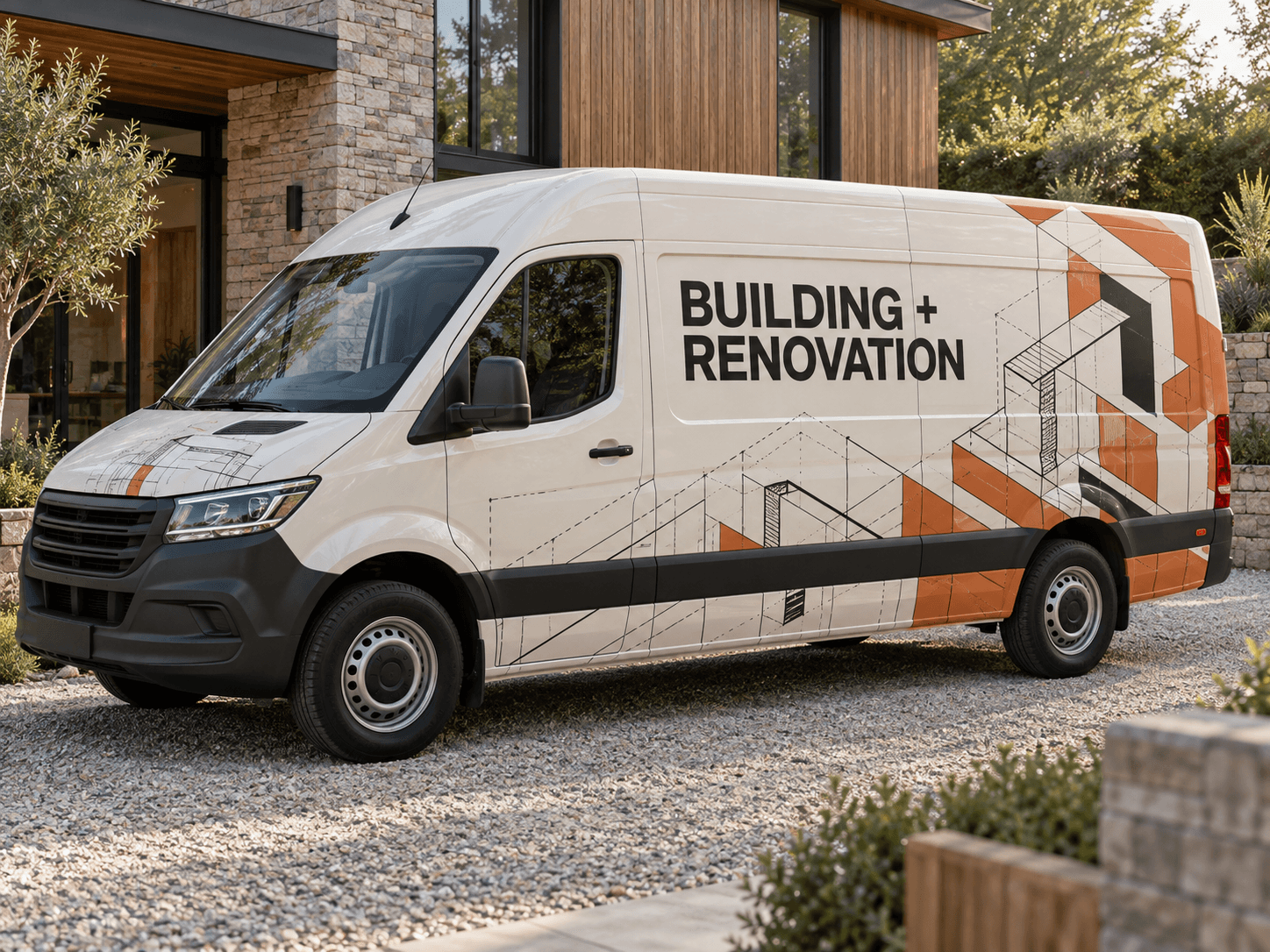
Isometric construction lines and burnt-orange blocks give the rear quarter structure while the main lettering stays on a quiet cream panel.Original AI concept · No customer branding
Architectural blocks
Use your own vehicle photo
Add your business logo
Save a concept for your signwriter
Choose a direction
Builders van design ideas
Start with the projects you want to win. A short description of your actual work is more useful than filling every panel with a list of trades.
01
Architectural renovation graphics
Use measured linework and large blocks of colour to suggest the built environment. Keep the drawings behind the rear wheel and leave the centre panel for the name. Fine blueprint details should support the design, not carry essential information.
Try this with your van
Design a builder van wrap for [business name] using cream, charcoal and burnt orange. Place architectural isometric linework and interlocking blocks on the rear quarter. Keep [renovation services] and [contact details] on a calm cream side panel.
Try large dark lettering on the existing paint with a solid lower band. Extensions, conversions or renovations can form one short service line. This direction is easy to compare on vans of different lengths without depending on a large illustration.
Try this with your van
Create clear general builder signage for [business name] on my van. Keep its original paint, add a strong [brand colour] lower band, and show [main building services] plus [phone or website] in large separated lines.
If you mainly build extensions or convert lofts, give that service its own headline. A simple outline of a roof or floor plan can reinforce the message. Avoid making the van look like a property developer if you offer a narrower hands-on service.
Try this with your van
Create a specialist construction van concept for [business name]. Make [principal building service] prominent, use a restrained architectural outline, and place [contact details] separately. Use [brand colours] with no invented credentials or project photographs.
Your chosen prompt opens in the studio, ready for your photo and business details.
Upload your photo and logo.Vehicle first, optional logo second.
Make the prompt yours.Replace the square brackets with your business details.
Generate and save a favourite.Open the image in Your concepts to compare and download.
Before you generate
Make the van match the worksite
Include racks in your vehicle photo
Ladders, roof racks and side-mounted equipment affect the silhouette. Photograph the van as you use it so you can judge whether the design still reads around those features. Ask the signwriter to check door movement and panel seams on the final artwork.
Show real specialisms
Use the services you actually provide, then choose one contact route. If you want accreditation marks, provide authorised originals separately. Keep project photos for a portfolio unless you own suitable images and they remain clear at van size.
Designed around your work
Explore related industry designs.
Specific layouts, colours and starter prompts for different kinds of work.
Start with the business name, the building work you specialise in and a phone number or website. A concise line such as extensions and renovations can explain more than a dense list. Use your own logo and the exact wording you want the installer to reproduce.
Can I use this for a pickup or tipper?
Yes. Upload that vehicle’s own photo and describe the available body panels. A pickup or tipper needs a layout that fits its smaller or separate surfaces; the AI image is a concept, and the installer still needs the correct vehicle measurements.
Start with your own vehicle
See the idea on your van.
You bring the photo and business details. AI helps you explore the design.