Locksmith van signage. Recognisable without the clutter.
Explore a locksmith identity that reads clearly on a compact van. Try a bold keyhole graphic, discreet residential-service lettering or an automotive-locksmith direction built around the work you offer.
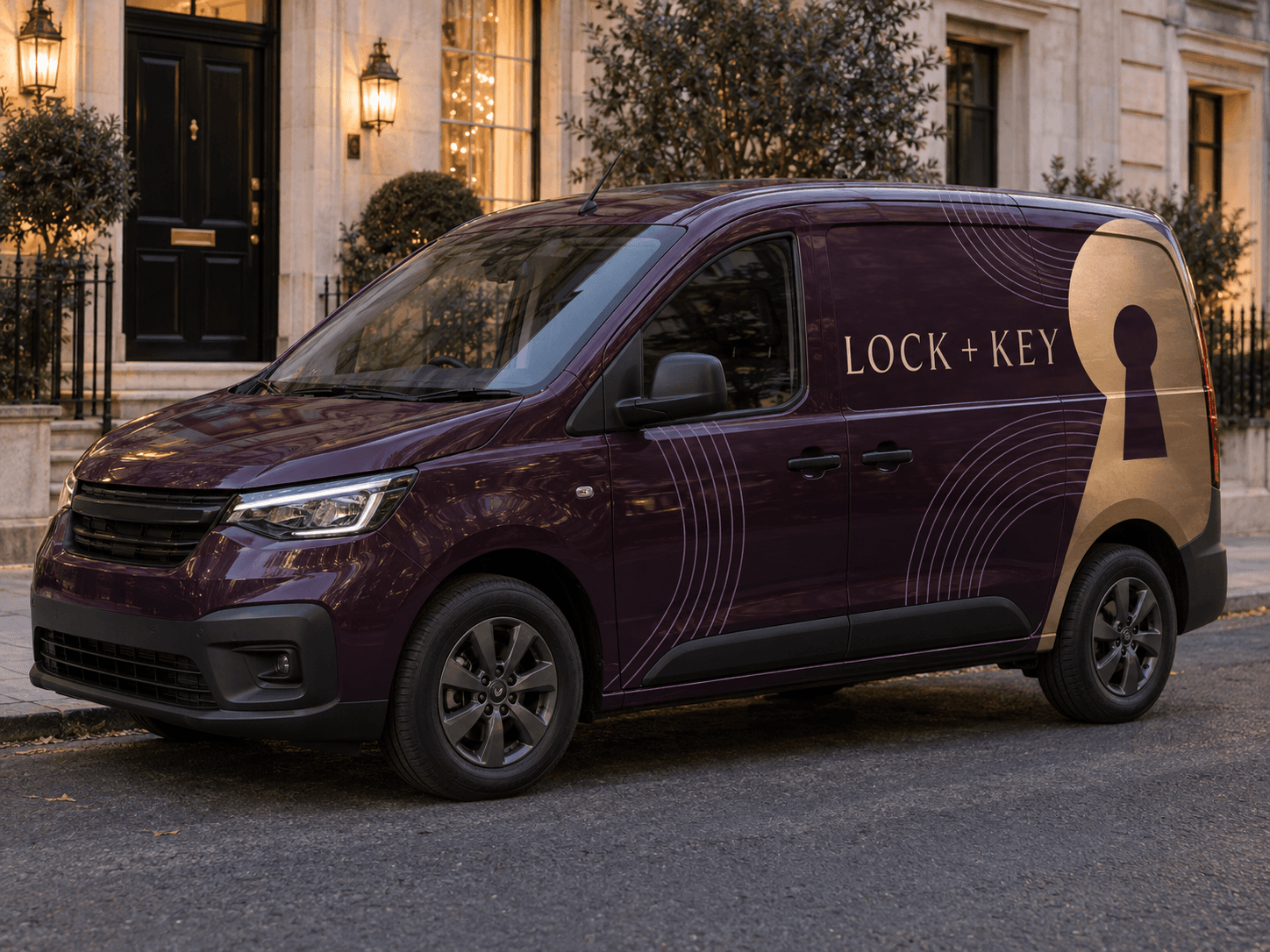
A large brass keyhole shape cuts through aubergine panels, supported by fine lavender arcs and calm cream typography.Original AI concept · No customer branding
Brass keyhole
Use your own vehicle photo
Add your business logo
Save a concept for your signwriter
Choose a direction
Locksmith van design ideas
The van can be distinctive without carrying a collection of keys, locks and badges. Choose one symbol and make the service line do the explaining.
01
One bold keyhole
A large negative-space keyhole can be easier to recognise than a detailed lock illustration. Place it behind the name rather than underneath the text. The warmer palette gives a familiar trade symbol a different character.
Try this with your van
Design locksmith van signage for [business name] in aubergine, brass and cream. Use one oversized abstract keyhole on the rear quarter, clear [locksmith services] and [phone or website]. Avoid police-style markings and invented security badges.
For a restrained presence outside homes, start with lettering and a small emblem on the existing paint. Keep the service description specific. You do not need emergency wording if scheduled lock work is your main offer.
Try this with your van
Create discreet residential locksmith lettering for [business name]. Retain the original paint, use [brand colours], one small keyhole emblem, [actual lock services] and [contact details]. No emergency claim unless supplied.
Use the words that explain your automotive service instead of relying on a generic car silhouette. Keep residential services secondary if they are also available. A compact graphic works better than many different key shapes.
Try this with your van
Create auto-locksmith van signage for [business name]. Use [brand colours] and one simplified key motif. Make [vehicle key or lock service] prominent and add [contact details], without car manufacturer logos.
Your chosen prompt opens in the studio, ready for your photo and business details.
Upload your photo and logo.Vehicle first, optional logo second.
Make the prompt yours.Replace the square brackets with your business details.
Generate and save a favourite.Open the image in Your concepts to compare and download.
Before you generate
Keep the message specific and credible
Choose the contact hierarchy
A phone number may be the main action for call-outs, while a website may suit planned work. Make that choice before generating. Include opening hours or round-the-clock wording only when it accurately describes your availability.
Avoid borrowed official-looking identities
Use your own identity and supplied marks. Do not ask AI for police insignia, invented membership badges or another locksmith’s branding. The example artwork uses a generic trade label so you can explore the layout independently.
Designed around your work
Explore related industry designs.
Specific layouts, colours and starter prompts for different kinds of work.
Yes. Choose the discreet lettering direction and ask for a smaller emblem with more original paint visible. A concept lets you compare understated identification with a bolder advertising wrap before speaking to an installer.
Can I add a 24-hour call-out line?
If that is a service you actually provide, include the exact wording in your prompt. It should not be invented by AI. Check the generated text against your original copy before using the image as a production reference.
Start with your own vehicle
See the idea on your van.
You bring the photo and business details. AI helps you explore the design.