Security installer van wraps. Precise. Clear. Distinctive.
Show whether you install CCTV, alarms or access control with a design that feels considered. Try technical cyan graphics or simple lettering, with space for your own identity and service details.
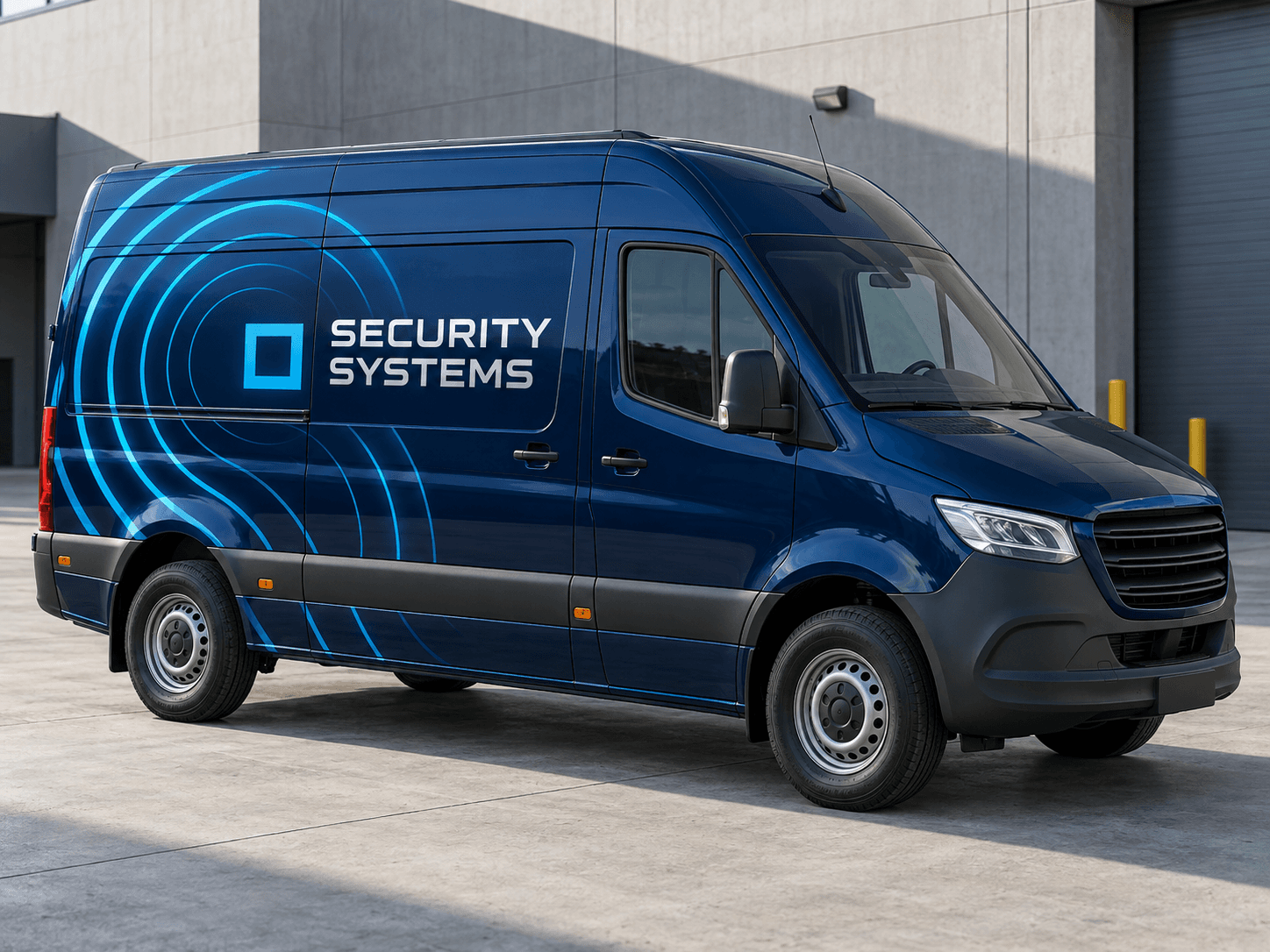
Concentric cyan signal arcs curve around the rear quarter of an ink-blue van, balanced by precise silver-white lettering.Original AI concept · No customer branding
Cyan signal
Use your own vehicle photo
Add your business logo
Save a concept for your signwriter
Choose a direction
Security Installer van design ideas
Differentiate installation work from guarding or response services. A simple, accurate service line is more useful than a collection of intimidating symbols.
01
A technical signal pattern
Radar-like arcs and a single geometric accent can suggest connected systems without copying a device brand. Keep them away from the contact details. A dark base with light type provides a clear area for the business identity.
Try this with your van
Design a security-systems installer van for [business name] in ink blue, cyan and silver. Add concentric signal arcs on the rear quarter and clear [CCTV, alarm or access-control services] plus [contact details]. No official insignia.
A small camera outline can support an explicit CCTV installation line. Avoid filling the side with different camera models. If customers need detailed product specifications, direct them to the website rather than putting those specifications into tiny van lettering.
Try this with your van
Create CCTV installer van lettering for [business name]. Use [brand colours], one understated camera outline, a prominent [CCTV service] line and [website or phone]. Do not use equipment manufacturer logos.
Clean rectangular geometry can suit door access and alarm installation. Separate service categories with spacing instead of extra badges. Ask for an understated version if the van regularly visits residential properties.
Try this with your van
Create restrained alarm and access-control van signage for [business name]. Use a clean geometric partial wrap in [brand colours], [actual services] and [contact details]. Avoid shield collections, security-force styling or invented approval marks.
Your chosen prompt opens in the studio, ready for your photo and business details.
Upload your photo and logo.Vehicle first, optional logo second.
Make the prompt yours.Replace the square brackets with your business details.
Generate and save a favourite.Open the image in Your concepts to compare and download.
Before you generate
Show what you install, clearly
Keep the service boundary visible
Installation, maintenance and monitoring describe different offers. Put only the work you provide in the prompt. If you use third-party products, check your right to show their logos and supply the original artwork to your signwriter.
Use symbols sparingly
A camera, keypad and alarm bell can quickly crowd a small van. Try one main motif and let the service text explain the rest. Review the concept with the side door seams and handles visible before selecting a layout.
Designed around your work
Explore related industry designs.
Specific layouts, colours and starter prompts for different kinds of work.
Can I create a wrap for a CCTV installation business?
Yes. Start with the CCTV prompt, upload your vehicle and add your logo as the optional second image. Replace the bracketed service and contact details with your own, then generate the concept.
Can the design avoid looking like a security patrol vehicle?
Yes. Ask for installer-focused wording, a restrained colour palette and no official-style crests, patrol markings or response claims. The example emphasises systems installation through abstract graphics and plain service text.
Start with your own vehicle
See the idea on your van.
You bring the photo and business details. AI helps you explore the design.